I have an AI agent. Its name is Sonny, it runs on a 2012 MacBook Pro that started its life as my university laptop, and I talk to it from Telegram. It writes drafts, checks mail, files things, and occasionally tells me that a task I thought was finished never actually was.
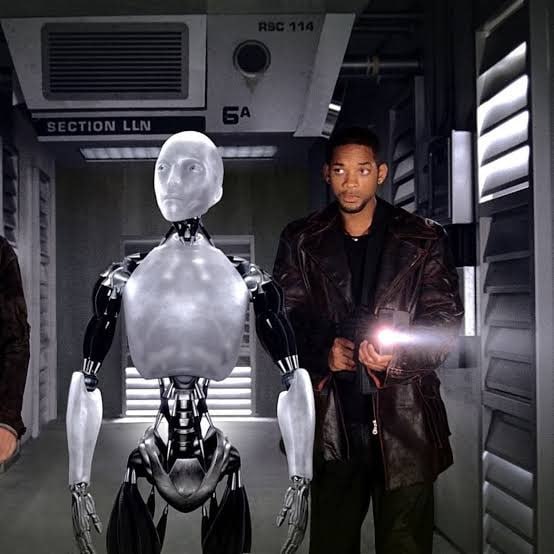
The name is borrowed: Sonny is the NS-5 from I, Robot who spends the film asking whether he is more than what he was built for. A fair description of a shell script with opinions. Frame from I, Robot (2004), © Twentieth Century Fox — reproduced for commentary.
The interesting part is not that it exists. It is how little hardware it needs.

The setup, in one paragraph
Sonny is a Hermes Agent instance. The model behind it is served remotely through OpenCode, running DeepSeek Flash — so the laptop never loads weights, never warms a GPU it does not have, and never pretends the intelligence is local. I talk to it from Telegram, from my phone or any browser, and it acts on this Mac with real tools: the shell, the filesystem, Mail.app, scheduled jobs.
Admin access is SSH over Tailscale. That detail does more work than it looks: the machine stays reachable from anywhere without a single port forwarded, and the agent’s own traffic rides the same private network. No admin panel on the public internet, no dashboard to forget about.
Why an old laptop is the right shape
The machine is a 4-core i7 with 8 GB of RAM, running macOS 15.7.3 — an OS Apple never shipped for this model, kept alive by OpenCore Legacy Patcher. It sits on a desk, plugged in, at roughly idle. That is the whole spec sheet an agent host needs.
The workload is asymmetric by design. Reasoning happens somewhere else, on someone else’s GPUs, paid by the token. What remains locally is I/O: read a file, run a command, check whether an email actually left the outbox. Almost none of it needs a fast processor, and all of it benefits from a machine that is always on and that I do not mind leaving on.
I could run the same agent on a VPS for a few euros a month. I would lose the part I like most: the agent operates the same computer I use, with the same files and the same mail client. There is no sync layer, no second copy of my documents, no API that exposes half of what a shell can do. And there is a small, honest pleasure in getting another decade out of hardware that was already written off.
What it actually does
A normal day involves things that are boring until they break.
It checks the inbox and reports what needs attention. It runs scheduled jobs — a daily summary, a reminder, a check on something I asked it to watch. It drafts posts like this one, in Markdown, against the blog’s schema, with images and tags, and stops before committing, because publishing is my call. When I asked it to send a test email, it did not stop at “command issued”: it waited until the outbox count went from one to zero and told me so. That habit — verify the effect, not the intention — is the difference between an assistant and a plausible-sounding text generator.
Memory, skills, and the part that compounds
Two mechanisms do the heavy lifting.
Memory is a short list of facts that stays in context every turn: who I am, which machine this is, the convention that email goes through Mail.app and nothing else. It is deliberately small, because anything injected into every prompt has to earn its characters.
Skills are procedures loaded only when relevant — how to write a post for this blog, how to diagnose a mail client that answers some AppleScript commands and hangs on others. When a task exposes a gap, the agent writes the lesson into the skill that failed. This is why it stops making the same mistake twice, and why the second attempt at a broken workflow is usually shorter than the first.
There is also a confirmation loop I asked for: when the agent believes a task is done, it asks me yes or no, and records the answer in a plain text log. Achievements above the line, misses below it. A machine that grades itself is worth very little; one that keeps a record of what a human actually confirmed is worth slightly more.

The guardrails that matter
- Secrets stay in environment files, never in chat. The agent does not type passwords, does not paste API keys into a page, and does not ask for either. Anything that needs a credential is set up by me, locally.
- Side effects get confirmed. Sending mail, deleting files, publishing: state the intent, wait for the yes.
- The network is private. SSH and agent traffic over Tailscale; nothing new listening on a public interface.
- Everything is logged. Session history, tool output, and the achievements file. If something changed on this machine, there is a record of which command changed it.
None of this is exotic. It is ordinary operational hygiene, applied to something that can now execute arbitrary commands on my behalf.
What does not work
The laptop will die, and when it does the agent stops. There is no local inference, so a bad network makes a slow assistant. The 8 GB ceiling is real if I ever ask it to process something heavy. Tokens cost money, and a long autonomous loop can spend more than a careful human would. And an old machine running an unsupported OS has a smaller safety margin than a new one — acceptable for a machine that holds no secrets beyond its own configuration, not acceptable as a general pattern.
The honest summary: the intelligence is rented, the hardware is scrap, and the combination is more useful than either half.
What this is really about
Not nostalgia for old laptops. The point is how low the floor has dropped. A useful agent needs an always-on machine, a private way to reach it, a model you do not have to host, and a small amount of discipline about what it is allowed to do without asking. That is a 2012 laptop and a chat window.
The next time someone tells you that personal AI requires new hardware, ask them what the agent actually computes locally. In my case, the answer is: almost nothing, and it works anyway.